 800-200-3000
Why This Guide Exists
College multiplies your digital exposure faster than most students realize, and the consequences land in places you can’t always see. A new university email account, three or four dating apps, a roommate group chat, a study-abroad portal, more social platforms than you used in high school, online banking for tuition payments, and somewhere out there, a data broker has already published your parents’ address alongside a list of relatives that includes you.
By sophomore year, a stranger can find more about you in 90 seconds than most people could in a week of research a decade ago.
This guide to online privacy resources for college students is built for two audiences. The first is the student dealing with something active: a hacked account, a stranger who knows too much, intimate photos posted without consent, a stalker, identity theft, or a sudden flood of harassment.
The second is the campus staff member, RA, women’s center director, or Title IX coordinator putting together a list of vetted external resources to share. Both audiences need the same thing: a directory that names specific organizations, hotlines, and tools, with enough context to know which one fits which situation.
A few things worth knowing before you read further: Online harassment disproportionately affects college-age adults, with Pew Research Center surveys consistently showing that adults under 30 report higher rates than older groups, and that women, LGBTQ+ students, and students of color face the most severe and persistent abuse.
Some of what this guide covers is heavy. Image-based abuse, sextortion, doxxing, and stalking are all included because they are common enough that every college community needs a response plan.
Our guide to internet safety for college students is organized in eight sections: campus resources, federal resources, nonprofit and advocacy organizations, data broker opt-outs, harassment and doxxing response, dating app safety, study abroad, and social media privacy settings. A quick-reference contact directory sits at the end. Bookmark it and share it with people who might need it later.
If you are in immediate physical danger, stop reading and call 911 or your campus public safety number. Everything else in this guide can wait until you are safe.
Key Takeaways
- Start on campus. Your Title IX office, counseling center, public safety team, and IT security desk are usually faster and more context-aware than any external resource.
- Federal agencies handle the crimes. Use IdentityTheft.gov for identity theft, the FBI’s IC3 for cybercrime and sextortion, and the Department of Education’s Office for Civil Rights when the Title IX process fails you.
- The Cyber Civil Rights Initiative runs a free, 24/7 helpline for image-based abuse at 844-878-2274.
- Hash-based image removal tools like StopNCII.org (for adults) and NCMEC’s Take It Down (for anyone who was a minor when the image was taken) get intimate photos blocked from major platforms without you having to share the photos again.
- The five highest-priority data brokers to opt out of are Spokeo, Whitepages, TruePeopleSearch, BeenVerified, and Intelius. They power hundreds of smaller sites.
- Title IX covers online sex-based harassment, not only in-person incidents.
Campus Resources Every Student Should Know
Campus resources are usually the fastest and most context-aware help available, and several of them are required by federal law. The trade-off is that campus offices are bound by university policy and reporting structures, so it helps to know what each one does and what it can’t do before you reach out.
Title IX Office
Every federally funded school has a Title IX Coordinator whose job is to respond to sex-based discrimination, harassment, and stalking. Current Department of Education regulations cover online conduct: harassment that occurs via email, text, messaging apps, social media, gaming platforms, or video chat falls within the Title IX scope when it interferes with a student’s access to education.
Find your coordinator in the school’s Notice of Nondiscrimination, which must be public. Confidentiality rules vary by school, so ask up front whether the conversation is private or whether it triggers a formal report.
Counseling and Psychological Services (CAPS)
University counseling centers handle the mental health fallout of harassment, doxxing, sextortion, image-based abuse, and identity theft. Services are usually confidential and free for enrolled students. Many schools offer brief crisis appointments without a wait list. If your campus CAPS has limited availability, ask whether they can refer you to a community partner.
Student Conduct and Dean of Students
Conduct offices handle peer-to-peer policy violations that don’t fall under Title IX, including general online harassment from other students, threats, and behavior that violates community standards. The Dean of Students’ office is also the right contact for academic continuity questions if a privacy or safety incident is disrupting your coursework.
University IT and Information Security
Most schools have a campus information security team or CISO. They handle account compromises on university email, phishing reports, malware on university-owned devices, and questions about whether a particular service is FERPA-compliant. Bookmark your campus IT security URL now so you have it before something goes wrong.
Public Safety and Campus Police
Campus public safety responds to emergencies, but they also handle stalking reports, protection-order escorts, and evidence preservation for online threats that have an in-person component. If you are not sure whether something rises to the level of a police report, ask. They can document the incident either way.
Women’s Center, LGBTQ+ Center, and Multicultural Affairs
Many colleges and universities have identity-affirming support specifically scoped to populations who face higher rates of targeted online abuse. Not every school has these as standalone offices, but most have an equivalent housed under the Dean of Students or Student Affairs. Trans and nonbinary students in particular should check whether their campus LGBTQ+ center has a dedicated digital safety resource.
Library and Research Help Desk
This resource is often underused for privacy questions. Reference librarians can help verify whether something published about you online is defamatory, a matter of public record, or factually disputable. They also have access to legal databases that can flag whether a piece of content might be eligible for a takedown request under specific statutes.
To find any of these on your campus, search “[your school name] + [resource type]” or check the student services directory on your school’s website.
Federal Resources for Cybercrime, Identity Theft, and Harassment
Federal resources handle the crimes themselves, while platforms handle their own content removal. Most students who have an active incident end up using both. Here are the federal entry points worth knowing.
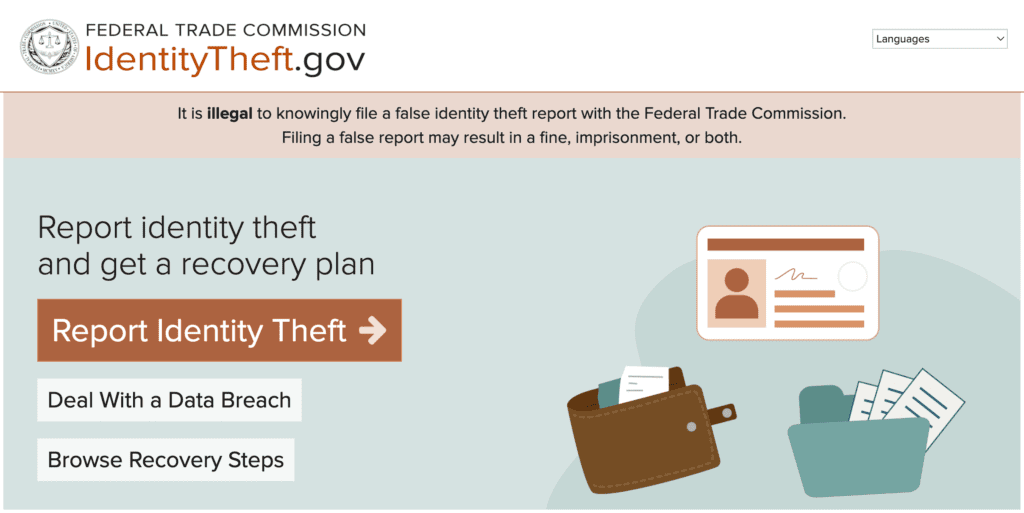
FTC IdentityTheft.gov
The Federal Trade Commission’s primary hub for reporting identity theft and getting a personalized recovery plan. If your Social Security number, financial accounts, or government-issued IDs have been compromised, file a report here first. The site walks you through credit freezes, fraud alerts, and disputes with creditors. Free to use.
FBI Internet Crime Complaint Center (IC3.gov)
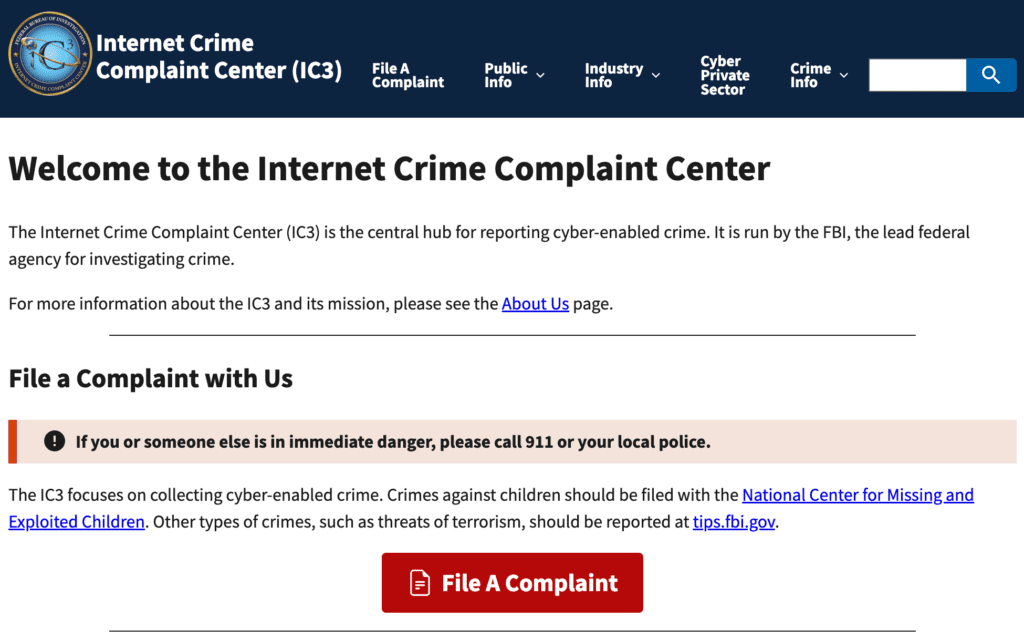
The FBI’s reporting portal for cybercrime, including sextortion, hacking, online fraud, threats, and serious harassment. Reports are routed to the appropriate FBI field office for investigation. The FBI publishes regular advisories on tactics targeting college students, including scholarship scams, fake employer pitches, and romance fraud.
Cybersecurity and Infrastructure Security Agency (CISA.gov)
The federal lead on cybersecurity awareness. CISA publishes free educational materials through its Secure Our World campaign and Cybersecurity Awareness Month resources. Useful as a baseline education hub for resident assistants, peer educators, and student staff who want vetted teaching materials.
U.S. Department of Education Office for Civil Rights (OCR)
This department handles Title IX complaints when the campus process is inadequate or retaliatory. Students can file complaints directly through the OCR portal at ed.gov/OCR. The OCR also handles disability access, racial discrimination, and other civil rights complaints in federally funded education.
Department of Justice Civil Rights Division
This division handles hate crimes and bias-motivated harassment when state and local response is insufficient. Useful when an online attack is part of a broader pattern of identity-based targeting.
StopBullying.gov
This is a federal interagency site that covers bullying prevention and response. The cyberbullying section includes practical guidance for victims, parents, and schools.
USA.gov Consumer Complaint Portal
This is a general dispatcher that’s useful when the issue doesn’t fit neatly into any single agency. USA.gov routes complaints to the agency that handles a given issue.
When to use which: Use IdentityTheft.gov for stolen identity or financial fraud, IC3 for crimes committed using the internet, OCR for failed Title IX responses, and StopBullying.gov for prevention resources. CISA is education-only, not a reporting channel.
Nonprofit and Advocacy Organizations
Nonprofits often respond faster and with more specialization than federal agencies. They run direct hotlines, offer pro bono legal referrals, and provide survivor support tailored to younger adults. The organizations below are the ones campus staff most often recommend.
Cyber Civil Rights Initiative (CCRI)
The CCRI runs the Image Abuse Helpline at 844-878-2274, available 24/7 and free in the United States. The CCRI Safety Center includes step-by-step guides for nonconsensual intimate image abuse, sextortion, and deepfakes. CCRI also maintains a pro bono legal aid directory and partners with the Cyber Civil Rights Legal Project for representation.
StopNCII.org
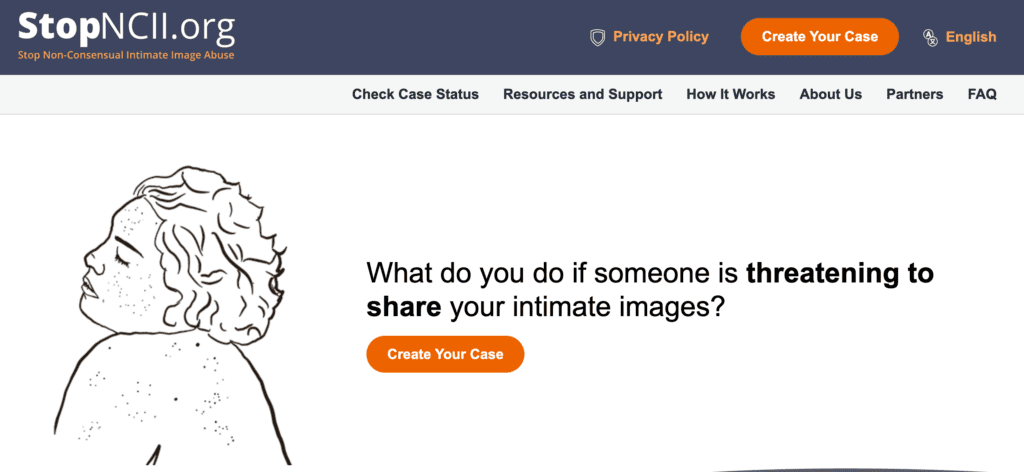
This free tool creates a digital hash of an intimate image so participating platforms (including Meta, TikTok, Reddit, Bumble, X, OnlyFans, and Snap) can detect and block reuploads. You never have to share the image itself with the platforms. For adults 18 and older.
Take It Down (NCMEC)
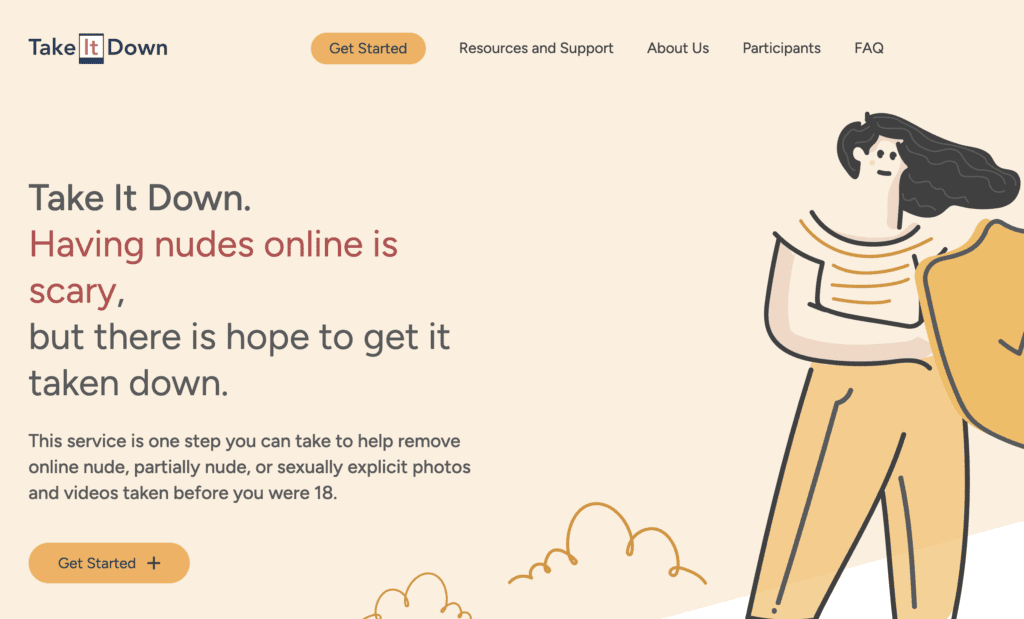
The site takes the same hash-based approach as StopNCII, but for images taken when the person was under 18. It’s operated by the National Center for Missing and Exploited Children.
Electronic Frontier Foundation (EFF)
EFF’s free guides cover encrypted messaging, threat modeling, protest privacy, and device hygiene. The Surveillance Self-Defense series is the most authoritative free resource on digital privacy in plain language.
Electronic Privacy Information Center (EPIC)
EPIC tracks privacy legislation, files regulatory comments, and publishes consumer privacy guides. It’s useful for students researching privacy policy, filing public comments on federal rulemaking, or building a policy paper.
Privacy Rights Clearinghouse
This organization maintains an in-depth tutorial on data brokers and people-search sites, plus a fact sheet library covering education privacy under FERPA and various state privacy laws.
NNEDV Safety Net Project
Run by the National Network to End Domestic Violence, the NNEDV Safety Net Project specializes in tech-enabled abuse, including spyware detection on phones, safe-use planning when leaving an abusive relationship, and account security for survivors. Their tech abuse safety planning guides are widely used by Title IX offices.
RAINN (Rape, Abuse and Incest National Network)
RAINN runs the National Sexual Assault Hotline at 800-656-4673 and online chat at hotline.rainn.org. It covers reporting, hospital advocacy, and post-assault support, including online safety after a perpetrator continues contact.
The Trevor Project
The Trevor Project offers crisis support for LGBTQ+ youth and young adults under 25. Call 1-866-488-7386, text START to 678-678, or use the website chat. Covers digital outing, identity-based harassment, and crisis response for online attacks targeting LGBTQ+ identity.
ConnectSafely
This site provides platform-specific safety guides written for younger users and the adults who support them. It’s frequently used by RAs and peer educators.
988 Suicide and Crisis Lifeline
Call or text 988 from any U.S. phone. The 988 Lifeline handles general mental health crises, not only suicide-specific calls. A common first call for students whose online incident has overwhelmed their coping capacity.
The short version: Use CCRI for image-based abuse, EFF for proactive privacy, NNEDV Safety Net for tech-enabled stalking and intimate-partner abuse, RAINN and 988 for crisis support, and the Trevor Project for LGBTQ+ crisis.
Opt-Out Guides for the Worst Data Broker Sites
Data brokers and people-search sites are the reason a stranger can find your parents’ home address, your prior dorm hall, your relatives’ names, and an estimate of your age within a few minutes of searching your name.
The International Association of Privacy Professionals estimates that more than 4,000 data brokers operate in the United States. You don’t need to opt out of all of them. A smaller group accounts for most of the visible search results, and removing yourself from those gives the biggest privacy gain.
Start by Googling your full name in an incognito window and noting which sites appear on the first three pages. Those are your priority targets. Then work through the high-impact brokers below, in order. Most are free to opt out of, though several require identity verification.
Highest-priority opt-outs (start here):
- Spokeo: Aggregates social media profiles with public records to produce detailed individual reports. Sold to landlords, employers, and private investigators.
- Whitepages: The largest people-search directory. Lists addresses, phone numbers, age ranges, and relatives. NetReputation’s Whitepages opt-out guide walks through the process.
- TruePeopleSearch: Free, fast, and frequently mined for robocall lists.
- BeenVerified: Aggressive advertising and a multi-step opt-out process.
- Intelius: Deep records, including property data and any available court records.
Second tier (still important, work through these after the top five):
- USPhonebook: Reverse phone lookup data. See the USPhonebook opt-out guide.
- FastPeopleSearch: Frequently the source of the data you see on free people-search aggregator sites. See the Fast People Search removal guide.
- RecordsFinder: Public records aggregator. See the RecordsFinder opt-out guide.
- 411.com: Phone directory data tied into a broader broker network. See the 411.com opt-out guide.
- FamilyTreeNow: Genealogy data including living relatives. See the FamilyTreeNow opt-out guide.
- PeopleFinders, Radaris, Nuwber, Spydialer, ClustrMaps, OfficialUSA, PublicInfoServices, and PrivateRecords.net: All covered in NetReputation’s opt-out guide directory.
Special case: ZoomInfo. This is a B2B data broker, but it affects students with LinkedIn profiles, internship listings, and university-issued email addresses tied to professional databases. See our ZoomInfo opt-out guide.
A few practical notes on the opt-out process:
- Most sites require identity verification through a state-issued ID. Use a state ID rather than a passport when possible, since passport numbers are higher-value if intercepted. Many sites accept partially redacted IDs that show your name and address while hiding the photo and ID number.
- Removals are not permanent. Data brokers reaggregate from public records (court filings, voter registration, property deeds, marriage records). Plan to re-check the same sites every 60 to 90 days.
- Some opt-out forms require an email address. Use a separate email account dedicated to privacy requests, not your main address.
- If the volume feels overwhelming, paid services like NetReputation run continuous removals across hundreds of sites for a subscription fee.
Responding to Online Harassment, Doxxing, and Image-Based Abuse
This section covers the worst-case scenarios. If you are in the middle of an incident, focus on the immediate-action checklist below first. Read the rest later.
Immediate-Action Checklist
- If anyone is in physical danger, call 911 or campus public safety.
- Preserve evidence before doing anything else. Take full-screen screenshots that include the URL bar and a timestamp. Use the Wayback Machine at web.archive.org to archive harassing pages so a public record exists even if the original is deleted. Save messages, profiles, and any contact information.
- Lock down accounts. Change your email password first (because email controls password resets for everything else), then change passwords on social platforms, banking, and your university account. Turn on two-factor authentication using an authenticator app, not SMS.
- Report to the platform using its abuse-reporting form before blocking the account. Blocking can hide evidence you might need later.
- Contact the appropriate helpline below for the specific situation.
Doxxing Response
Doxxing is the publication of someone’s private information online with the intent to harass or intimidate. Once a home address or phone number is public, the priority is reducing further exposure: opt out of as many people-search sites as possible (see the section above), use a P.O. box or family member’s address for any new accounts, alert your campus public safety team if you live on or near campus, and consider changing your phone number if it has been posted to a hostile audience.
You can also file a report with the FBI’s IC3 and with local law enforcement. The EFF and NNEDV Safety Net guides on tech-enabled stalking are the right reference for safety planning.
Image-Based Abuse Response
Image-based abuse covers intimate images shared without consent, including original recordings shared in confidence, recordings made without knowledge, and AI-generated or deepfake content depicting a real person. The action order:
- Call the CCRI Image Abuse Helpline at 844-878-2274 for guidance. It’s free, available 24/7, and confidential.
- Use StopNCII.org (if you were 18 or older when the image was taken) or NCMEC Take It Down (if you were under 18) to hash and block reuploads on participating platforms.
- Report the content to each platform using its image-based abuse reporting form. Major platforms have dedicated forms separate from generic abuse reports.
- File an IC3 report with the FBI.
- Consider state law criminal options. As of 2025, most U.S. states and the District of Columbia have criminal laws addressing nonconsensual intimate imagery. CCRI maintains a state-by-state tracker on their website.
- Consult an attorney if you want to pursue civil claims. CCRI’s legal aid directory can help with referrals.
Sextortion
Sextortion is the threat of releasing intimate content unless the victim pays money or sends more content. FBI guidance is consistent: do not pay, do not delete the messages, preserve everything, report to IC3 and the platform, and contact CCRI or RAINN for support. A trusted person needs to know what is happening. The isolation that perpetrators try to create is part of how the scheme works.
Stalking and Persistent Harassment
NNEDV Safety Net specializes in tech-enabled stalking, including spyware detection on phones, secure communication setup, and safety planning. Protection orders generally cover online conduct. Document everything for the court record.
Coordinated Harassment
Group attacks from anonymous forums, gaming communities, or chat servers usually require a different approach than one-to-one harassment. EFF Surveillance Self-Defense guides on threat modeling are the right starting point. Most major platforms (Discord, Reddit, X, TikTok) have coordinated-harassment policies that allow reporting an attack as a pattern rather than each individual account separately.
Removing Harassing Content Already Published
If the harassment includes content published on a specific platform, the platform’s own removal process is the first lever. For Reddit specifically, our Reddit post removal guide walks through the platform’s process, including content policy reports, subreddit moderator outreach, and DMCA takedown options where applicable. Each major platform has its own removal mechanics.
Dating App Safety: Privacy Settings and Behavior
Dating apps are part of normal college life, and the goal here is harm reduction rather than avoidance. Match Group’s 2024 partnership with Uber and the campus nonprofit It’s On Us produced a college-focused safe-dating guide that’s worth bookmarking. The practical guidance below covers Tinder, Hinge, and Bumble, which industry reporting consistently identifies as the three most-used dating apps among American college students.
Pre-Match Settings
Turn on photo verification on every app that offers it. Tinder, Hinge, and Bumble all do. Verification signals to your matches that your photos are real, and only matching with verified profiles signals the same to you. Adjust distance and location precision settings so the app shows an approximate radius.
Avoid linking Instagram or Snapchat to your dating profile until trust has been established. Those connections are how strangers harvest your secondary identity. Disable LinkedIn and Facebook integration entirely.
Profile Content Rules
Don’t show campus landmarks, dorm hallways, classroom buildings, or interior shots of your residence. Leave your last name out of the bio. Don’t mention your class schedule, the courses you’re in, or your specific major if it’s small enough to identify you. Group photos can be fine, but think about whether a determined stranger could identify which person in the photo is you.
Conversation Phase
Keep early conversations in-app. Don’t share your phone number or campus email until you’ve decided to meet. Reverse-image-search your match’s photos using Google Images or TinEye to check for catfishing. The same photo appearing on multiple unrelated profiles is a clear flag.
Meeting in Person
Pick a public location, midday or early evening, with other people nearby. Share your live location with a friend for the duration. Have your own transportation. Set a check-in time so the friend knows when to call if they haven’t heard from you.
Uber’s Check Your Ride feature, which verifies your driver and trip details before you get in the car, was added partly in response to safety concerns about rideshare after dating-app meetups.
App-Specific Safety Features
| Dating app | Notable safety features |
|---|---|
| Tinder | Photo Verification, Block Contacts, and an in-app Safety Center. |
| Hinge | Hidden Words filters, Profile Pause, and report tools tied to specific behaviors. |
| Bumble | Photo Verification and a women-message-first model that some users find reduces unwanted contact. |
Match Group’s Safety Center at matchgroup.com/safety is a centralized hub across Tinder, Hinge, Match, and the rest of their portfolio.
Red Flags That Warrant Disengagement
Refusal to verify identity, pressure to move off-app immediately, requests for intimate photos in the first few days, stories that build toward asking for money (the classic romance-scam pattern the FTC has flagged as a major source of losses for adults under 30), and pressure to drive you to a private location for a first meeting. Each of these is enough on its own to unmatch.
After a Bad Date or Unwanted Contact
Report in-app first. Most platforms can ban accounts that violate their terms, especially for documented behavior. If the encounter involved coercion, assault, or persistent harassment, report to campus public safety, contact RAINN, and consider a formal police report. Document everything in writing while it is fresh.
Study Abroad Digital Privacy and Safety
Your digital risk profile changes significantly the moment you board a flight to study abroad. Unfamiliar networks, different legal frameworks for surveillance and free expression, phishing campaigns specifically targeted at visiting students, and reduced access to consular help if devices are lost or stolen all stack on top of the usual concerns. Plan for the digital side of the trip the way you plan for the visa and the housing.
Before Departure
Back up devices to encrypted cloud storage. Travel with a clean device when possible: reset your laptop to factory state and reinstall only what you need, or take a secondary phone with limited accounts. Enable full-disk encryption (FileVault on macOS, BitLocker on Windows, default on modern iOS and Android). Install a reputable VPN before you leave, because some VPN apps are restricted or unavailable for download from certain countries’ app stores.
Set up an authenticator app for two-factor authentication (Authy, Google Authenticator, or your password manager’s built-in option) rather than relying on SMS codes, which often fail on international SIMs or eSIMs. Give a trusted person copies of your passport, visa, and insurance, stored securely in a password manager or encrypted PDF.
While Abroad
Avoid public WiFi for banking, email, and university accounts. Use mobile data through your carrier’s international plan or a local SIM, or run a VPN over public WiFi as a fallback. Some “free WiFi” networks in airports and hostels require app installs that collect more data than you want to give them. Don’t post real-time location to social media; delayed posting, a few days after the fact, is safer.
Use end-to-end encrypted messaging (Signal, WhatsApp) for sensitive conversations, with the understanding that some countries restrict or block these apps. Have a fallback plan for how you communicate with family if your primary app stops working.
Country-Specific Considerations
Some countries actively restrict VPN use, block encrypted messaging, or criminalize LGBTQ+ identity expression online. The U.S. State Department’s Country Information pages at travel.state.gov are the authoritative source for current legal and safety restrictions. Read them for every destination before you go, including transit countries.
If a Device Is Lost or Stolen Abroad
Remote-wipe immediately using Find My iPhone for Apple devices or Find My Device for Android. File a local police report; you may need it for insurance claims. Contact the nearest U.S. embassy or consulate if your passport or other identity documents were stored on the device. Change passwords for every account accessed from the device, using a known-clean device for the password changes.
Returning Home
Change passwords on accounts you accessed abroad. Re-enable any 2FA settings that were modified for the trip. Scan your devices for unfamiliar apps. If you used a borrowed or shared device at any point during the trip, treat the accounts you logged into as potentially compromised.
Social Media Privacy Settings by Platform
The default settings on most social platforms favor the platform’s growth, not your privacy. Every platform requires active changes to lock things down. The walkthroughs below cover the most-used platforms among U.S. college students. Settings menus shift, so the paths described here may change; use them as a starting point and verify against each platform’s current help center.
Set your account to Private in Settings → Account privacy. Restrict story sharing to Close Friends for personal content. Disable Show Activity Status so people can’t see when you’re online. Manage tagged photo approval under Privacy → Tags and mentions → Manually approve. Review ad data sharing under Ads → Data and history.
TikTok
Toggle Private Account under Privacy → Private account. Disable Suggest your account to others. Restrict downloads, duets, and stitches at the account level and per-video for sensitive content. Turn off location services for TikTok in your phone’s system settings, not only in the app, because TikTok can infer location from other signals if the app-level toggle is the only protection.
Snapchat
Enable Ghost Mode on the Snap Map. Tap the Map, then the settings gear in the top right, then toggle Ghost Mode. Set Who Can Contact Me and Who Can View My Story to Friends only. Review the My Eyes Only section for any sensitive saved content and use a passcode.
Run the Privacy Checkup in Settings → Privacy → Privacy Checkup. Limit past posts to Friends with a single click in that workflow. Restrict who can look you up by email and phone number. Turn off facial recognition. Review the Apps and Websites section for old third-party app permissions you no longer use.
X (Formerly Twitter)
Protect your posts under Settings → Privacy → Audience, media, and tagging → Protect your posts. Disable photo tagging. Restrict direct messages so only people you follow can send them. Review Discoverability and turn off contact-list matching, which otherwise links your account to anyone who has your phone number or email saved.
BeReal
Set your audience to Friends only rather than Discovery. Disable location sharing on individual posts. Review your friend list periodically and remove accounts you don’t recognize.
Discord
Set DM filters to friends-only on a per-server basis. Disable Allow Direct Messages From Server Members under each server’s notification settings. Enable two-factor authentication; Discord accounts are frequent targets for takeovers because of associated game and crypto activity. Review server permissions before joining new servers, especially servers outside your campus or affinity groups.
Set profile photo visibility to your network rather than public if you don’t want strangers reverse-image-searching it. Manage who can see your connections in Settings → Visibility → Profile viewing options. Turn off public profile visibility for items you consider personal: hometown, full birthday, individual posts. Restrict who can find your profile through your email address.
Universal Practices
Enable two-factor authentication on every account using an authenticator app rather than SMS, since SMS-based 2FA is vulnerable to SIM-swap attacks. Review login activity monthly on your most important accounts (email, banking, university). Remove third-party app permissions that are no longer needed. Use a password manager with unique passwords for every account.
When DIY Isn’t Enough: Professional Help
For most students, the resources in this guide are enough. A handful of free hours spread across a semester is usually sufficient to opt out of the high-priority data brokers, lock down social accounts, and document any incidents that have happened. For others, the situation calls for more support than a self-service approach can offer.
Three categories of professional services exist, and they don’t all do the same thing.
Data Broker Removal Services
Online reputation management (ORM) companies like NetReputation automate the opt-out process across hundreds of sites and re-run the removals on a recurring schedule. Useful for students who don’t want to spend a Saturday filling out 30 opt-out forms or who want continuous protection against re-aggregation. Pricing and scope vary; compare what each service actually covers before subscribing.
Content Removal and Reputation Management
These services cover a broader scope, including takedowns of news articles, blog posts, social media content, and other sources that fall outside the data broker category. They also include strategic suppression, where new positive content is built and ranked to push down negative search results that can’t be removed at the source. This is the right category for students dealing with a published arrest record, a viral social media post that won’t die, a defamatory blog post, or visible mugshot results affecting graduate school and job applications.
Legal Services
These are a separate category. Civil claims for defamation, harassment, or image-based abuse generally require an attorney. The Cyber Civil Rights Initiative maintains a pro bono legal aid directory specifically for image-based abuse cases. Your campus or local bar association may have a student legal services office or a low-cost referral program. NetReputation does not provide legal advice, and students with potential defamation or NCII claims should consult a qualified attorney about their specific situation.
A realistic expectation is worth setting: removal is rarely instantaneous, and outcomes are not guaranteed. The most durable improvements come from combining removal with positive content building, particularly for graduating students applying to graduate school or jobs.
If you want to compare your options, our review of the top companies that remove personal information from the internet walks through the major services side-by-side, including services that compete with NetReputation. For students dealing with broader privacy issues than data broker removal alone, our internet privacy services page explains what comprehensive privacy management looks like.
Quick-Reference Contact Directory
Bookmark this section, and share the link with anyone who might need it.
Crisis and Emergency
| Resource | Contact | Use it for |
|---|---|---|
| Emergency | 911 | Immediate physical danger |
| Campus Public Safety | Search “[your school] + public safety” | Non-911 campus emergencies, evidence preservation |
| CCRI Image Abuse Helpline | 844-878-2274 (24/7) | Nonconsensual intimate images, sextortion, deepfakes |
| RAINN National Sexual Assault Hotline | 800-656-4673 | Sexual assault, online or in person |
| The Trevor Project | 1-866-488-7386 / text START to 678-678 | LGBTQ+ crisis support |
| 988 Suicide and Crisis Lifeline | Call or text 988 | Mental health crisis |
Federal and Reporting
| Resource | Contact | Use it for |
|---|---|---|
| Title IX Coordinator | Listed in your school’s Notice of Nondiscrimination | Sex-based discrimination and harassment, online or in-person |
| FTC IdentityTheft.gov | identitytheft.gov | Identity theft recovery plan |
| FBI IC3 | ic3.gov | Cybercrime, sextortion, online fraud |
| U.S. Dept. of Education OCR | ed.gov/OCR | Title IX complaints when the campus process fails |
| CISA | cisa.gov | Cybersecurity awareness resources |
Tools and Specialized Support
| Resource | Contact | Use it for |
|---|---|---|
| StopNCII.org | stopncii.org | Image removal for adults |
| Take It Down (NCMEC) | takeitdown.ncmec.org | Image removal when minor at time of image |
| NNEDV Safety Net | techsafety.org | Tech-enabled stalking and intimate-partner abuse |
| EFF Surveillance Self-Defense | ssd.eff.org | Free guides on encrypted communication and threat modeling |
 800-200-3000
 Rated #1 by Newsweek
 4.9/5 Trustpilot
 100% Confidential