 800-200-3000
Google review management is the ongoing practice of monitoring, responding to, generating and analyzing reviews on your Google Business Profile to protect your online reputation and local search visibility.
A strong review management strategy helps businesses build trust with potential customers and improve local rankings, as well as gain valuable insights from customer feedback. Positive reviews encourage people to choose your business while negative reviews may influence them to look elsewhere. Do you know the signals that your online reviews are sending to future customers?
In this article, we’ll discuss how to maximize Google reviews and customer feedback to strengthen your brand’s online reputation. We’ll also provide guidance on how to create a sustainable review strategy that promotes long-term growth.
Key Takeaways
- Google review management includes monitoring, responding to, generating and analyzing customer reviews.
- Reviews influence both local search rankings and customer purchasing decisions.
- Businesses should respond to all reviews, both positive and negative, to demonstrate engagement and build trust.
- Fake, spam or policy-violating reviews can be reported to Google but removal isn’t guaranteed.
- Consistent review management helps protect your reputation and improve customer relationships.
- Professional business review management services can help when ongoing monitoring becomes difficult to manage internally.
NetReputation provides information and services designed to protect and strengthen your digital presence. Call us today or fill out the contact form below for a Free Reputation Analysis.
Why Google Review Management Matters in 2026
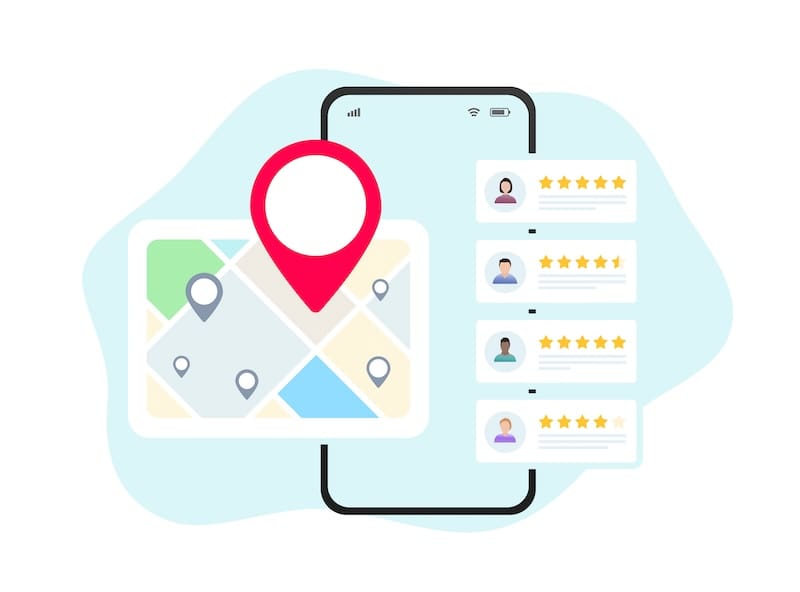
Reviews are often the first thing potential customers check before deciding whether to contact or visit a business. Your Google rating and review volume influence both customer trust and your visibility in search results, so review management is a critical part of attracting new business.
As you manage your online reputation, it’s important to present a positive business image and brand identity across every channel where customers can find you, including:
- Social media
- Business directories
- Websites
Review platforms aggregate customer feedback and ratings, then display them publicly for anyone to see. Google reviews are particularly important because they appear directly in Google Search and Google Maps results. When a potential customer searches for products or services in their local area, Google often highlights nearby businesses, along with their ratings and review counts.


Say you have a four-star average Google rating. This may compare favorably with other competitors in your area. However, a five-star profile stands out even more. It can also help you attract additional clicks and visits from local searchers.
This impact goes beyond visibility alone. According to Birdeye’s State of Online Reviews 2025, Google now captures approximately 81% of all online reviews and is the dominant review platform for local businesses. Meanwhile, BrightLocal’s Local Consumer Review Survey 2025 found that the overwhelming majority of consumers consult reviews before choosing a local business, with only 4% stating they never take this step.
You can manage your Google Business Profile in several ways, including:
- Generating positive reviews
- Responding to customer feedback
- Addressing concerns before they damage trust
- Monitoring your reviews and understanding their impact on your online reputation
Review management focuses specifically on ratings and customer feedback while broader Google reputation management also includes search results, news coverage, images and other content that shapes public perception. For businesses facing larger reputational challenges, our Google reputation management services can provide additional support.
Fixing a negative online reputation can take time but it’s not impossible. By monitoring reviews and learning from customer feedback, you can strengthen customer trust and improve both your local visibility and long-term revenue potential.
How To Increase Positive Google Reviews

The most reliable way to get more positive Google reviews is to ask every satisfied customer at the right moment and make the process as easy as possible. Businesses that consistently request reviews will almost always generate more feedback than those that wait for customers to leave reviews on their own.
Start by creating a direct review link from your Google Business Profile. Google allows businesses to generate a dedicated review URL or QR code that takes customers directly to the review form, eliminating unnecessary steps and reducing friction in the review process. Consider using a branded short link that includes your business name. Customers are often more comfortable clicking a URL they recognize.
A simple review-request system can drastically increase review volume:
- Ask in person at the point of sale or service completion: The best time to request a review is immediately after a positive customer experience.
- Follow up by email within 24 to 48 hours: Include your direct review link and a brief thank-you message.
- Send one SMS reminder about a week later: Many customers intend to leave a review but forget. A single reminder can help capture additional responses without feeling intrusive.
This type of structured outreach typically generates significantly more reviews than a passive approach because it reaches customers while their experience is still fresh.
Remember to respond to every review you receive, whether it’s positive or negative. Review responses allow you to demonstrate authenticity and build trust with prospective customers. According to the BrightLocal survey, 96% of consumers are open to writing a review and consumers continue to view a business’ engagement with reviews as an important trust signal when evaluating local companies.
One more thing: Avoid offering incentives for reviews. Paying for reviews, offering discounts in exchange for feedback, selectively soliciting only positive reviews or using review-gating tactics all violate Google’s review policies. Google specifically prohibits incentivized reviews and other forms of “fake engagement.”
In addition, there are also legal considerations. The Federal Trade Commission (FTC)’s Rule on the Use of Consumer Reviews and Testimonials which took effect in October 2024, prohibits fake reviews. It also bars businesses from providing compensation or incentives that require consumers to leave positive or negative reviews.
At the end of the day, the best review strategy is also the simplest. Provide a great customer experience, ask consistently, make reviewing easy and respond professionally to every piece of feedback you receive.
3 Benefits of Effective Google Review Management
With an effective plan in place to manage Google reviews, your business can improve in several meaningful ways.
1. You’ll win more customers.

The most immediate benefit of Google review management is that it helps potential customers choose your business over competing options.
Review quantity matters as much as review quality. Imagine a business with 500 largely favorable reviews compared to one with just a handful. The larger review footprint creates stronger social proof and helps prospective customers feel more confident about their decision.
The key is to consistently generate new reviews by sending review requests and making it easy for customers to leave feedback.
More ways to manage reviews and win customers include:
- Read your reviews frequently to understand what customers think about your business.
- Respond to every review, whether it’s positive or negative.
- Use customer feedback to improve your overall customer experience.
2. Your customers will become brand advocates.

Positive reviews can extend beyond Google and become a powerful source of word-of-mouth marketing. Although your reviews begin on Google, satisfied customers often share their experiences on social media and other community forums or review platforms. According to BrightLocal’s latest survey data, Google remains the most-used review platform, followed by Facebook, and Tripadvisor. Encouraging happy customers to share their experiences across multiple channels can amplify your reputation and reach new audiences.
Using an online reputation management system makes it easier to monitor reviews across platforms. It also helps you identify opportunities to engage with your most enthusiastic customers.
3. Your business will increase organic growth.

Effective review management supports long-term visibility by helping search engines and customers see your business as active and trustworthy.
This matters because we live in a trust economy. Whether someone discovers your business through Google Search, Google Maps or another online channel, reviews often influence their next step.
Reviews can also support local search performance. While Google doesn’t disclose the exact weight of review factors, we know that review volume, review recency and ongoing business engagement through review responses are widely recognized as signals that help Google understand a business’s prominence and activity. The result is a stronger foundation for sustainable organic growth, driven by both customer trust and local visibility.
Use Your Google Business Profile to Manage Reviews
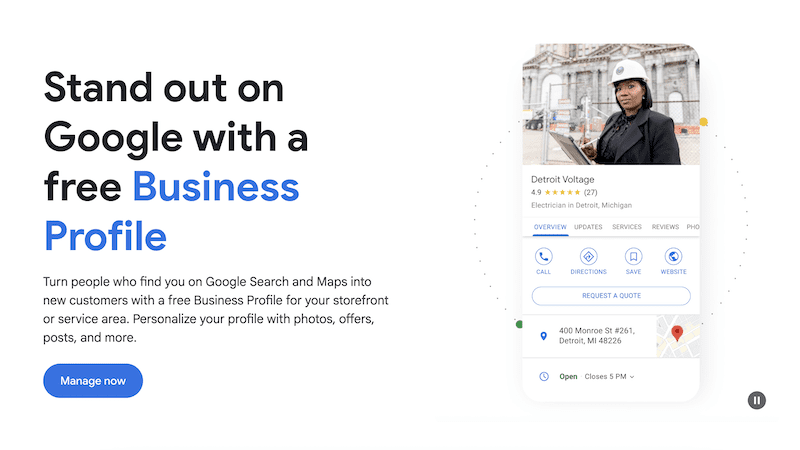
Google Business Profile (GBP) is a free service available to local business owners and serves as the control panel for your reviews. An optimized profile is what makes those reviews visible and impactful in local search results. Without a claimed and properly configured profile, customers might have difficulty finding your business or engaging with your brand online.
With a Google account and a few setup steps, business owners can claim a listing on the platform, helping them to stand out in local search.
GBP listings provide users with an array of business information in search results, including:
- Business name
- Company description
- Name, address and phone number (NAP)
- Service offerings
- Hours of operation
- Consumer reviews
This information helps customers evaluate your business and decide whether to contact or visit you. An added benefit of Google Business Profile is that it enables Google reviews for your business, linking customer feedback directly to your profile and displaying it prominently in search results.
Business owners can also monitor and respond to reviews directly from their Google Business Profile dashboard. When replying, businesses can publish a public response and manage ongoing customer interactions, all from a single location. As with reviews themselves, responses must comply with Google’s content policies and may be reviewed before they appear publicly.
Optimizing Your Google Business Listing

To get the most out of the platform, business owners should optimize their listings through the Google Business dashboard. A complete and accurate profile helps customers find the right information and supports stronger visibility in local search and Google Maps.
NetReputation’s team of GBP optimization experts is skilled at creating and managing business listings with local search visibility in mind. Our Google Business Profile optimization services can include:
- Claiming the free GBP listing for your business by creating or managing your business account.
- Filling out every field in the business listing, including your business name, business type and company details.
- Identifying critical business information to help customers contact you. NAP (name, address, phone number) data is optimized by matching it with the information available on your website and social media profiles.
- Adding details about the products and/or services your company provides.
- Selecting appropriate categories for your local business.
- Enabling Google customer reviews to encourage engagement with existing and new customers.
Once your GBP is completed and optimized, customers can more easily find your business and leave reviews. A strong profile creates the foundation for effective review management and helps ensure your customer feedback receives maximum visibility.
Standing Out in Local Search: The Google Local Pack

Reviews are one of the most important “prominence” signals that decide which businesses appear in Google’s three-result Local Pack. In other words, your Google ratings and review activity directly influence whether your business is selected and shown above competing listings.
When business owners use NetReputation’s GBP optimization services, we take the effort out of managing Google and its dashboard tools. This service improves your online visibility, giving you the ability to stand out in Google’s Local Pack results.
When your GBP is optimized and launched, your business has a great chance of appearing in Google’s Local Pack (often called the 3-Pack). This is a group of three local businesses pulled from Google’s business directory and displayed prominently at the top of search results.
These listings typically include a map of the local area, business details, ratings and review counts, along with a “More Places” option for additional results.

Ranking factors for the Local Pack include:
- Relevance of a given business to a user search query
- Physical distance of the business from the person searching for information
- Prominence of the business, including the number of mentions in Google reviews and on third-party review sites
- Listings in local business directories
- Links to the company’s website or other web properties
These factors align with Google’s publicly stated local ranking guidance, where prominence is heavily influenced by review signals and overall business reputation.
Small business owners can’t afford to skip out on the power of GBP and local optimization. NetReputation can help strengthen your visibility in competitive markets by improving how your business appears in local search results and across Google Maps.
What Is Local SEO?

Search engine optimization (SEO) is the practice of improving your website and online presence so customers can find your business in search results. Local SEO focuses specifically on improving visibility for location-based searches, such as “near me” queries or Google Maps listings.
In local search, your NAP (name, address, phone number) consistency is foundational. It helps Google verify your business information across directories and supports stronger local rankings.
Google reviews are also a core part of local SEO. They act as trust signals that help Google understand your business reputation and activity level. A well-maintained Google Business Profile with strong reviews can stand out in Maps results and Local Pack listings, increasing clicks and foot traffic. That’s why Google review management plays such an important role in overall local SEO performance.
You can take control of your online reputation and Google review management strategy today, whether you’re working on your personal reputation or your professional digital presence. Call us today for more information.
How to Manage Negative Google Reviews

A negative Google review is manageable when you respond quickly and professionally and when you flag any content that violates Google’s policies. While bad reviews can affect your star rating and customer trust, most situations can be addressed in a way that limits long-term impact.
Always Respond ASAP
Respond promptly to all reviews, whether they’re positive or negative. A dissatisfied customer can influence others quickly, so timely engagement matters.
Remember that most customers expect a response to their review within a few days. Delays beyond a week can negatively affect the perception of your business. A fast, professional response helps reduce reputational damage. In some cases, it can even encourage updates to the original review.
Contact the Reviewer
When appropriate, reach out directly to the reviewer to understand the issue and attempt a resolution. If the customer feels heard and the issue is resolved, they may choose to update their review or rating.
This step is especially effective when the concern is service-related or based on a misunderstanding. It should always be handled respectfully and without pressure.
Take Responsibility
Acknowledge legitimate concerns and avoid becoming defensive. Even if the full context is unclear, a measured and accountable response shows prospective customers that your business takes feedback seriously.
It’s also best to avoid excuses or arguments in public replies. Often, a calm and solution-focused response can influence whether a customer revises their rating or returns in the future.
Don’t Take It Personally
Not every negative review reflects the full picture of your business. Some reviews are influenced by misunderstandings or unrelated frustrations. Regardless of the cause, keep your responses professional and diplomatic.
Flag Fraudulent Reviews
If a review violates Google’s policies, you can flag it for removal through your Google Business Profile. According to the Google Business Profile Help page, businesses can report reviews that appear to be fake, spam, off-topic or otherwise in violation of the platform’s content policies. However, Google does not guarantee removal and will make a final determination after review.
What the process looks like:
Business owners can open their Google Business profile, find the review and select the option to report or flag it for policy violation. Google will then evaluate the report against its published content guidelines and decide whether the review should remain or be removed.
Some flagged reviews may not be taken down, even if they feel unfair. Google only removes content that clearly violates its policies. For more detailed, step-by-step guidance on removal scenarios, see our dedicated guide on how to remove a Google review.
In cases where a review comes from someone who was never a customer, businesses should respond calmly, state that they cannot verify the interaction and provide a way to resolve the issue offline. For a more comprehensive look at handling strategies, see our guide on how to respond to negative reviews.
Is It Easy to Flag a Fraudulent Review?
While Google provides tools to report inappropriate reviews, businesses have limited control over what gets posted. Anyone can submit a review and in some cases, even inaccurate or misleading feedback may remain visible as long as it doesn’t clearly violate policy.
For that reason, it’s important to combine reporting with strong response practices. Over time, consistent review generation and professional engagement help reduce the impact of isolated negative or suspicious reviews.
Managing negative reviews can feel overwhelming at first, but a structured response process and proper escalation for policy violations can significantly reduce reputational damage. In more complex situations, working with an online reputation management (ORM) provider can help streamline monitoring and escalation workflows.
Google Review Response Templates
Using templates helps businesses respond to reviews quickly and consistently, especially when managing a high volume of feedback. The key is to keep responses structured but always personalize them with a specific detail from the customer’s review so they feel genuine rather than automated.
Before using any template, reference something specific the reviewer mentioned (like a certain product or experience). Avoid copy-paste repetition across responses which can make engagement feel impersonal. Other steps to skip include arguing with reviewers, sharing private customer information or offering public compensation in a way that could escalate the situation.
5-Star Positive Review Response
“Thank you so much for your kind words, [Name]! We’re glad to hear you had a great experience with [specific detail from review]. We truly appreciate your support and look forward to serving you again in the future.”
Constructive Negative Review Response (Legitimate Issue)
“Hi [Name], thank you for taking the time to share your feedback with us. We’re sorry to hear that your experience with [specific issue mentioned] did not meet expectations. This is not the standard we aim for and we appreciate you bringing it to our attention. We would like to learn more about this and make it right. Please contact us at [contact method] so we can address your concerns directly.”
Suspected Fake or Policy-Violating Review Response
“Hi [Name], we take all feedback seriously but we’re unable to locate a record of your experience with our business regarding [specific issue mentioned]. We also don’t see any recent interaction that matches this situation. If this is in error, we’d appreciate the opportunity to clarify. Please reach out to us at [contact info].”
Review Request Message (Post-Service Follow-Up)
“Hi [Name], thank you for choosing [business name]. We hope you had a great experience with [specific service]. If you have a moment, we’d really appreciate it if you could share your feedback here [Google review link]. Your review helps others find us and supports our small business.”
These templates are designed to help you save time while maintaining professionalism and consistency in your review responses. When used correctly, they help businesses respond faster and encourage more positive engagement over time.
Google Review Management Tools and Software: What To Look For
Google review management tools centralize reviews from one or more Google Business Profiles so businesses can monitor and respond to feedback and request new reviews from a single dashboard. These platforms reduce manual workload and help maintain consistency across responses and review requests, which is especially helpful for businesses managing multiple locations or high review volumes.
When evaluating Google review management software, it’s better to think in terms of capabilities rather than brand names. The most effective platforms typically include:
- Google Business Profile integration and multi-location support: Ability to manage one or many listings in a unified dashboard
- Review monitoring and alerts: Real-time notifications when new reviews are posted
- Response tools and AI-assisted replies: Prebuilt templates or AI suggestions to speed up responses while maintaining tone control
- Review request automation: Email, SMS, QR codes and shareable links to systematically request reviews from customers
- Reporting and sentiment analysis: Insights into trends, customer satisfaction and recurring feedback themes
- Review display widgets: Tools that embed selected reviews on websites to reinforce social proof
These features help businesses streamline operations but the right tool depends on business size and internal workflow needs.
Tool Categories Compared
| Category | Best For | Typical Use Cases |
|---|---|---|
| Free Google Business Profile dashboard | Small businesses with one location | Basic review monitoring and manual responses directly inside Google |
| All-in-one review platforms (e.g., Birdeye, Podium) | Growing small-to-midsized businesses and service businesses | Review collection, automation, SMS/email requests, centralized responses |
| SEO + reputation tools (e.g., BrightLocal) | Agencies and multi-client management | Local SEO tracking, citations and review monitoring across clients |
| Enterprise reputation platforms | Large brands with multiple locations | Advanced analytics, governance and large-scale review workflows |
Platforms like Birdeye, BrightLocal and Podium are commonly used examples in this space. They each offer different combinations of automation and messaging features as well as different reporting tools. Feature sets vary by plan, so businesses should always verify capabilities directly on the provider’s website before choosing a solution.
It’s also important to understand the tradeoff. Review management software improves speed and consistency but it doesn’t replace strategy. Even with automation, businesses still need human oversight to ensure responses are on-brand and appropriate to the situation. Poorly handled automation can make responses feel generic or disconnected from the customer experience.
The most effective approach combines such tools with a clear review strategy, so businesses know when to automate, when to personalize and when to escalate sensitive feedback. This sets up the next consideration: whether to manage reviews in-house or work with a professional service for ongoing support.
DIY vs. a Professional Google Review Management Service
Most small businesses can manage Google reviews on their own using a combination of Google Business Profile tools and a consistent internal routine. For many companies, this is all they need to monitor feedback and steadily build review volume. However, a professional service becomes valuable when review volume or reputation issues exceed what an in-house team can realistically manage.
Not sure if you need professional Google review management services? A good rule of thumb is that DIY works best when reviews are occasional and manageable, whereas professional support is more effective when reputation management becomes a daily operational workload.
These signals often indicate it may be time to bring in outside help:
- A sudden influx of negative, spammy or fake reviews that requires escalation
- Multiple business locations or franchise-level review management needs
- No internal staff or system for consistently requesting and responding to reviews
- A noticeable drop in ratings that is directly impacting leads or conversions
- A coordinated review attack or reputation event that requires rapid response and documentation
In these situations, structured support can help stabilize visibility and restore consistency across review platforms. A professional Google review management service goes beyond what most DIY systems can easily replicate at scale. These services typically include centralized review monitoring across multiple platforms and professional response management, as well as structured review generation strategies to increase legitimate customer feedback over time. They also help businesses identify and escalate potentially fake or policy-violating reviews for removal consideration through Google’s reporting systems.
Most importantly, reputable providers operate within Google’s guidelines. For example, NetReputation does not buy, fabricate or incentivize reviews and follows all applicable platform policies when helping businesses manage their online reputations.
Additional benefits of professional management include:
- Reporting dashboards that track review trends over time
- Sentiment analyses to identify recurring customer issues
- Workflow systems that ensure no review goes unanswered
Ultimately, the choice comes down to scale and risk. DIY management can work well for smaller operations that have a steady flow of reviews but professional support becomes more effective when reputation directly impacts revenue and daily lead generation.
If you’re unsure which approach fits your business, we can help. Our professional review audit can help clarify where your current strategy is working and where it may be falling behind. You can start with a Free Reputation Analysis to evaluate your current Google review performance and identify opportunities for improvement.
Managing Google Reviews Across Multiple Locations
Multi-location brands need a single system to monitor and respond to reviews across every Google Business Profile to ensure response time and customer experience stay consistent at scale.
As soon as a business opens more than one location, review management becomes significantly more complex. Each location generates its own feedback and ranking signals so issues can vary widely from store to store. Without a centralized approach, it’s easy for reviews to go unanswered or for responses to become inconsistent across the brand.
One of the first challenges is maintaining consistency in NAP data and brand messaging. Even small discrepancies across listings can create customer confusion and dilute local search performance. It’s equally important to ensure that review responses reflect a unified tone of voice while still addressing location-specific issues.
Operational routing is another key challenge. This is the process of getting the right review in front of the right local manager as quickly as possible. In multi-location systems, reviews often need to be assigned based on geography or store ownership so issues can be resolved directly by the team closest to the customer experience.
At a higher level, brands also need to identify patterns across locations. Individual reviews matter but aggregated data is what reveals systemic issues in specific regions such as:
- Staffing gaps
- Product inconsistencies
- Service breakdowns
- Quality control issues
Without consolidated reporting, these trends are easy to miss. This is where centralized dashboards and managed reputation systems become especially valuable. These tools allow businesses to track and respond to reviews across locations in one place and escalate issues when needed. Multi-location review management tools and services also make it easier to report performance to learnership teams with clear visibility into trends and response times.
Rather than replacing strategy, these systems support it. They help larger organizations maintain consistency and protect their brand reputation no matter how widespread their operations become, ensuring no customer feedback is overlooked.
How Google Reviews Influence AI Search Results
AI search experiences such as Google’s AI Overviews, ChatGPT-style assistants and map-based recommendation tools increasingly rely on online reviews as credibility signals when determining which businesses to surface or summarize. In practical terms, this means that specific and well-managed Google reviews now influence not only traditional “blue link” ratings but also how businesses appear in AI-generated answers and local recommendations.
This matters because AI systems are designed to synthesize information from multiple sources and identify businesses that appear trustworthy and relevant. Review quality, recency and volume are among the most visible public signals of customer experience. They help these systems evaluate which businesses are most likely to be recommended in response to local intent queries.
Industry research supports this shift. According to the Birdeye study, reviews are increasingly functioning as a trust layer for both consumers and AI-driven discovery systems, reinforcing their role as a core component of digital credibility. While AI platforms differ in how they rank or summarize businesses, review signals contribute to perceived authority and relevance across local search ecosystems.
However, AI tools don’t “rank” businesses based on reviews alone and no single factor guarantees inclusion in AI-generated results. However, businesses with stronger review profiles are more likely to be accurately represented in these summaries, especially those with recent, authentic feedback.
This evolution connects directly to generative engine optimization (GEO), where review management becomes part of a broader strategy for improving how businesses appear in AI-driven search environments. As search continues to shift toward synthesized answers, maintaining strong review signals helps ensure your business is represented with accurate and favorable context. You can learn more about how this connects to wider visibility strategies on our GEO services page.
Final Thoughts on Managing Your Google Reviews

Google review management is an ongoing routine, not a one-time fix.
These reviews are available 24 hours a day from anywhere in the world. Mobile users can post reviews based on their experiences using the Google mobile app while desktop users also have access to the review page for any given business with a GBP listing.
Getting more reviews is only one part of the equation. How you manage existing reviews is another.
It is all but inevitable that you will earn a bad review at some point, no matter how hard you try to satisfy every customer. How you respond to that bad review can actually convince other unhappy customers to share their own experiences with your business, too. That’s why you should always take a calm and professional approach when it’s time to manage Google reviews.
Every review, both positive and negative, is a learning experience. Online reviews help you understand what you’re doing right or areas where you need to improve. Taking negative reviews and turning them into positive experiences can be done by:
- Owning up to your mistakes
- Responding quickly to any negative Google review
- Offering to make a situation right whenever someone posts an unfavorable review
- Thanking customers for taking the time to post reviews
When you take the time to respond to your new reviews, you signal to your potential customers that you value them. By applying the tips above, you can get more Google reviews that help others make critical purchasing decisions.
Google Review Management Services
If you need assistance managing your Google reviews, NetReputation offers Google review management services that can help. In fact, we have reputation management services for businesses and individuals.
We have helped thousands of businesses just like yours improve their online reputation and increase their revenue. Let us know how we can help you.
Contact us online or schedule a Free Reputation Analysis to discuss Google review management for your business.
Frequently Asked Questions
Below are answers to some of the most common questions we receive about managing Google reviews.
What is Google review management?
Google review management is the ongoing process of monitoring, responding to, generating and analyzing reviews on your Google Business Profile. It helps businesses protect their online reputation and improve customer trust while strengthening local search visibility. Effective management also includes using customer feedback to improve services and operations.
How do I respond to a Google review?
You can respond to a Google review directly through your Google Business Profile dashboard. Open the review, click “Reply,” and publish a public response that appears under the original feedback. Google notes that responses should follow its content policies and remain professional, helpful and relevant to the customer’s experience.
Can I get a fake or negative Google review removed?
You can report reviews to Google if they violate its content policies, such as spam or off-topic content. However, removal is not guaranteed. Google reviews each report and decides whether it meets its policy standards. For step-by-step scenarios, see Google’s review reporting guidance in Google Business Profile Help.
How do I get more Google reviews without breaking the rules?
The safest way to get more reviews is to ask every satisfied customer and make the process easy with a direct review link or QR code. Google allows businesses to request reviews but prohibits incentivizing or paying for them. The FTC’s 2024 Rule on Consumer Reviews and Testimonials also bans fake or misleading reviews and reinforces that reviews must reflect genuine customer experiences.
Do Google review management tools really help?
Yes, review management tools can help businesses monitor feedback, send review requests, respond more efficiently and review feedback trends, all in one dashboard. They’re especially useful for businesses that juggle multiple locations or a high volume of reviews. However, tools only support this process. They do not replace the need for human judgment and thoughtful responses.
How long should I take to respond to a review?
You should aim to respond within 24 to 72 hours whenever possible. Quick responses show customers that you’re attentive and engaged and they can help reduce the impact of negative feedback. Consistency matters more than perfection, so establishing a routine is key.
Should I hire a Google review management service?
A review management service is most helpful when review volume is high or multiple locations are involved. It can also support situations when negative feedback is impacting business performance. These services can centralize monitoring, streamline responses and help manage reputation at scale. There are no guarantees of specific outcomes but structured support can improve consistency and efficiency over time.
 800-200-3000
 Rated #1 by Newsweek
 4.9/5 Trustpilot
 100% Confidential