 800-200-3000
How To Know if Someone Is Searching for You on the Internet
Is someone searching for you on the internet? Whether you’re applying for a job, going on a date, about to close a business deal or concerned about your privacy, it’s helpful to know who’s looking for you – and what they can see.
Here’s the honest answer: Most monitoring tools can’t tell you exactly who’s searching for you. However, they can tell you key signals, such as where your name appears and what information the site contains. This shifts the question from “Who searched for me?” to “What did they find?” which is actually far more useful.
Key Takeaways
- You cannot specifically see who Googles your name. Monitoring tools that claim otherwise are misleading.
- The “Incognito” Google function can show you exactly what others see when they search your name.
- You can set up alerts that notify you when your name appears online or when someone views a profile you can control.
- LinkedIn is the one tool that comes closest to answering “Who searched for me?” by allowing you to identify individual profile viewers.
- If you Google yourself, what appears on the first page is your real online reputation.
- If the results contain anything damaging, you have recourse: removal, suppression, and professional help.
First, the Honest Answer: You Cannot See Who Googled You
It’s natural to wonder, “Who is searching for me online?” However, the simple answer is that Google doesn’t release search query data to anyone. There isn’t an app or a tool that can show you who typed your name into a search engine.
If you find any tools that say otherwise, they’re a scam. Unscrupulous providers often exploit this common confusion, claiming to uncover more than they really can.
Can you see who Googled you? No. But that doesn’t mean you’re totally in the dark.
One helpful step you can take is to set up alerts that notify you as soon as your name appears anywhere new online. Some online platforms, like LinkedIn, can also show you profile-view data in real time. There are even dedicated people-search sites and data brokers like MyLife and Spokeo that show you exactly what information is attached to your name online, so you can take steps to control your privacy and minimize your exposure.
While you can monitor sites like these to find out where your name is surfacing, it’s most enlightening to perform a search yourself. This way, you know exactly what’s out there and what searchers will find.
Why People Search Your Name Online
We get it. The idea of someone searching for your name online can be unsettling. However, when someone performs this specific action, it doesn’t necessarily mean you’re being targeted. Most of the time, people are simply trying to find out more information about you for valid, legitimate reasons.
The short answer to “Who is looking me up online?” is often more benign than you think. Some of the most common people who could perform this search include:
- Employers and recruiters
- Potential business clients
- Romantic interests
- Former contacts
For these searchers, what they find matters much more than the fact that they searched for you in the first place. For example, in addition to checking LinkedIn, a potential new employer might perform background checks on applicants as part of their pre-employment screening. A quick Google search will reveal your public digital footprint, including data such as:
- Your social media profiles
- News articles that mention you
- Your personal websites
- Public records (e.g., court documents, property deeds, criminal records)
Now, this doesn’t mean there aren’t bad actors out there. Some people may Google you for unethical reasons, but they’re normally the minority. This underscores the importance of diligent monitoring and personal reputation management services. Taking a proactive approach to your online reputation is key to controlling the information attached to your name.
Who’s Been Googling My Name?
Google processes roughly 99,000 searches per second – more than 8.5 billion searches per day, or over 3 trillion searches per year.
How many of those searches involve you?
Let’s take a look at some helpful tools you can use to find out where your name appears online.
| Tool | What it reveals | Cost | Best for |
|---|---|---|---|
| Google Alerts | New web pages and news that mention your name, emailed as they get indexed | Free | Catching new content about you early |
| Individual profile viewers by name, job title, and company (last 90 days on Premium) | Free (Premium for full viewer data) | Seeing who is professionally checking you | |
| Mention | Social posts, forums, blogs, news, and review sites that name you, across 1B+ sources daily | Paid (Talkwalker Alerts is a free alternative) | Social and forum conversations other tools miss |
| People-search & data broker sites | The personal data attached to your name: address, phone, relatives, employment, criminal record | Free to search | Gauging your real privacy exposure |
Google Alerts
No, you can’t use Google Alerts to see who searches for you. But this tool can notify you as soon as new information about you is published online.
When you set up these alerts, the app will ask you what you want to track. Simply enter your personal name or your brand name. You can also add any other terms related to your online presence.
Concerned about your reputation? You can also set up a second alert that combines your name with negative modifiers. This might look like:
- “Your name” + “scam”
- “Your name” + “complaint”
- “Your name” + “lawsuit”
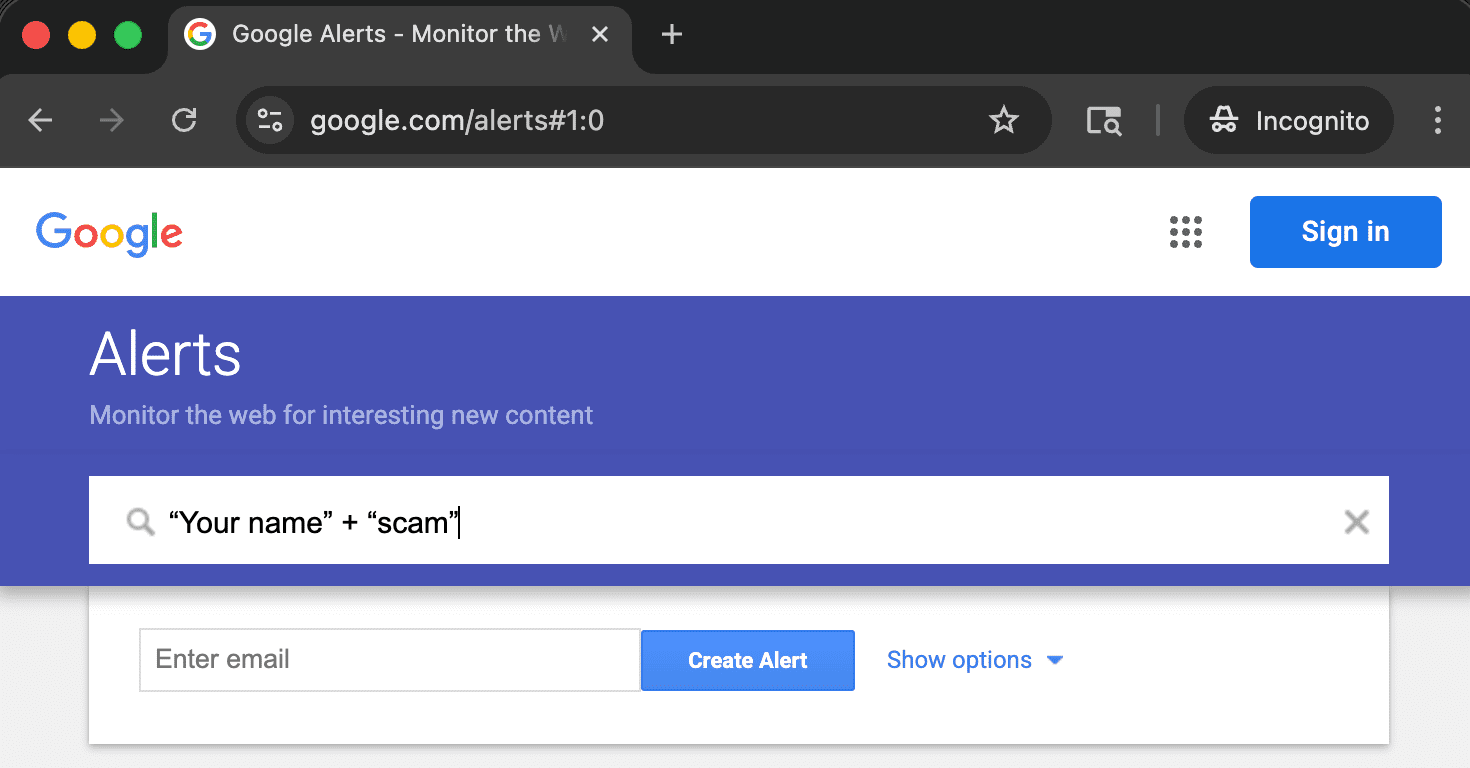
What this tells you: Once everything is set up, Google will start indexing any new web pages that mention your name. You’ll receive an email notification any time this occurs. This is the signal that most people miss and the most important one to catch early.
What to do next: If you receive an alert that contains negative content, assess whether it warrants a response. If it does, you can initiate a content removal request or work with us to develop a comprehensive suppression strategy.
LinkedIn is the top social networking platform for professionals. With a basic, free account, you can see partial data about the number of profile views you receive and who’s visiting your profile.
Upgrading to a premium account gives you greater insight. With LinkedIn Premium, you can see all profile views within the last 90 days. This includes identifying information about each viewer, such as:
- Their name
- Their job title
- The company they work for
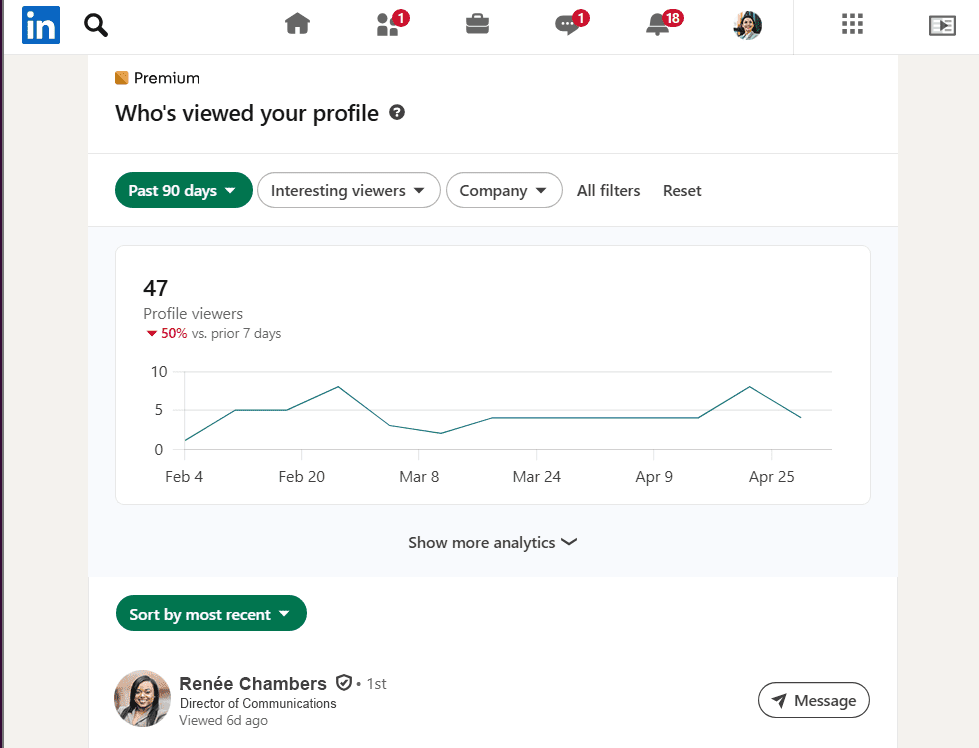
What this tells you: This monitoring tool is helpful because it’s the only one that identifies individual viewers by name. If a recruiter, client, or unknown contact views your LinkedIn profile, you’ll know it.
What to do next: Make sure your profile accurately represents your current role and contains relevant, up-to-date information about your career focus and experience before a potential employer or client views it. If you notice that an unknown contact is viewing your profile repeatedly, this questionable activity might warrant attention.
Mention
Mention is a social media tool that monitors what people are saying about you or your business online. This tool scans more than one billion sources daily, including:
- Social media platforms
- Press releases
- News sites
- Review sites
- Web forums
- Blogs
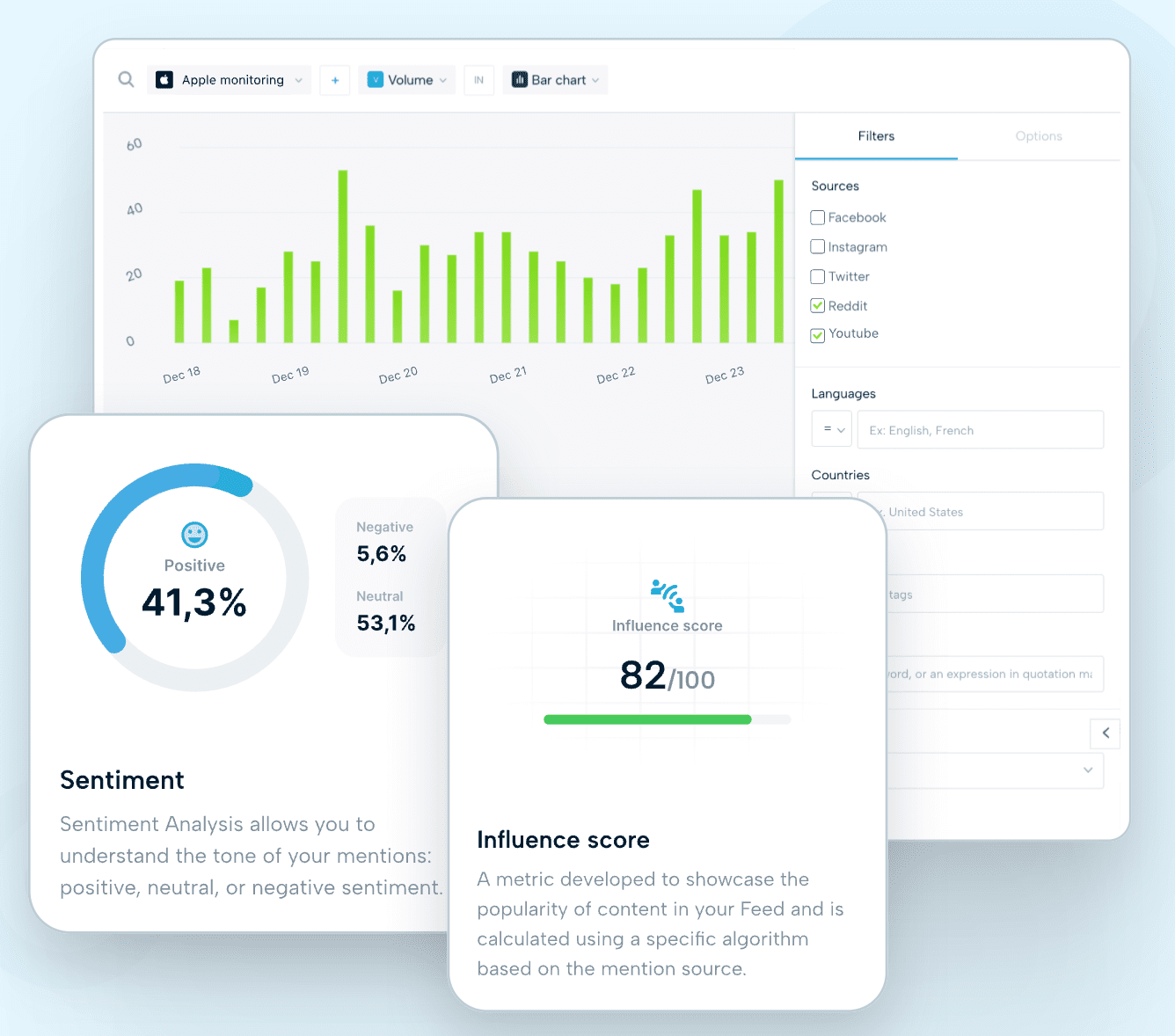
While Google Alerts primarily covers news and websites, Mention also tracks the social media sites that other tools miss. Another option is the free tier of Talkwalker Alerts, which monitors these same platforms.
What this tells you: This is important because your name might be discussed in contexts you’re unaware of, including forums like Reddit, blog comments, or public social posts. Staying on top of these conversations can help you control your personal and brand reputation.
What to do next: If you notice positive mentions, they may be worth acknowledging to boost engagement and brand recognition. You can assess negative mentions to determine whether a response is necessary or if you need to initiate a removal request.
People-Search and Data Broker Sites
Some of the major data broker sites include:
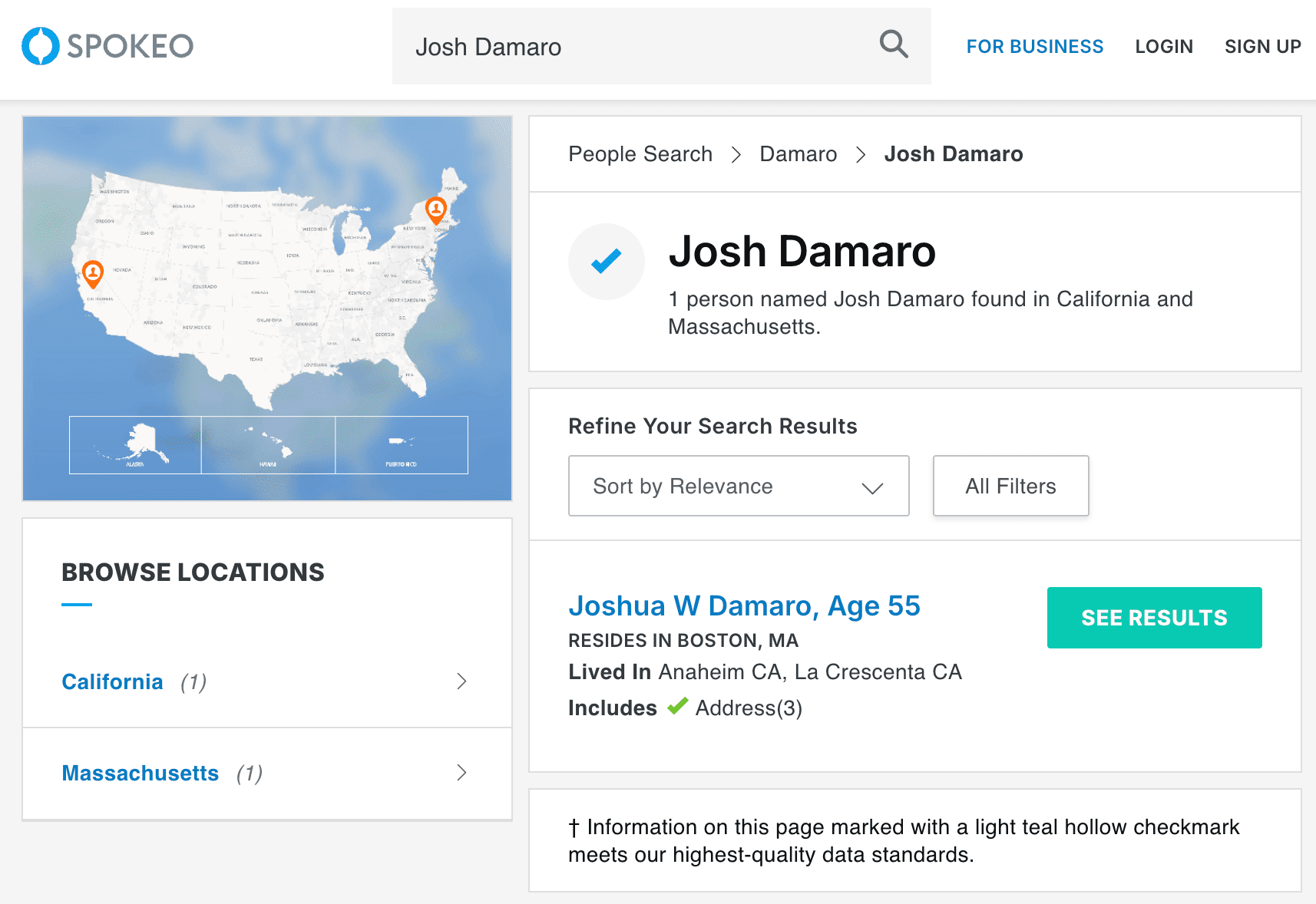
Searching your own name on any of these sites will show you all the information that a stranger, stalker, or identity thief can access about you with a simple search. At a minimum, this typically includes:
- Your address
- Your phone number
- Your relatives
- Your employment history
- Your criminal record
What this tells you: Searching for yourself on these people-search sites is an ideal way to gauge your actual privacy exposure. Most people are alarmed by what they find.
What to do next: To remove personal information from the internet, you can submit opt-out requests to each of the above sites individually. However, this is only a small sample of the more than 100 data brokers available online. A professional removal service can initiate bulk data broker opt-out requests to cover them all.
Can Someone See When You Google Them?
The simple answer is no. Individuals can’t see when you perform a simple Google search of their name. However, there is an exception for LinkedIn.
When you search for someone on LinkedIn or view their profile while you’re logged in to the platform, they can see that you viewed it, especially if they have LinkedIn Premium. If you want to perform this research without being detected, you can change your profile settings to “Private Mode.”
To do so, click the “Me” icon, followed by “Settings and Privacy” and “Visibility.” Then select “Private Mode” under “Profile Viewing Options.”
The More Useful Question: What Are People Finding When They Search for You?
Wondering what shows up when someone searches for you online? Googling your name in incognito mode is the quickest and easiest way to find out.
The diagnostic monitoring tools listed above can tell you exactly when new information about you appears. However, searching on Google tells you what the overall picture of your online presence looks like right now.
On a desktop computer, here are three ways to toggle an incognito window:
- Shortcut: Press Control+Shift+N (Windows) or Command+Shift+N (Mac)
- Chrome Browser: Find the three-dot menu on the top right of your browser. Select “New Incognito Window.”
- Desktop Menu: Find “File” on your top desktop menu. Select “New Incognito Window”
On a mobile device, open the Chrome app. Then, tap the three-dot menu at the top of your browser and click “New Incognito Tab.”
Google your full name in the incognito browser and take note of everything that appears on page one. A strong result shows relevant, helpful information about you, while a weak one surfaces negative, incriminating, or incomplete information:
| Strong page-one result | Weak page-one result |
|---|---|
| Your LinkedIn profile | Data broker listings |
| Your personal website or bio | Negative press |
| Positive press that mentions your name | Mugshots |
| Your other professional profiles | Sparse results |
This exercise gives you a clearer answer to the question, “What do people find when they search my name?” If you need to remove your name from Google or control your online reputation, reach out to us. We offer tailored support to help you optimize your digital presence.
What to Do When Someone Finds Something Damaging
So you’ve found something damaging about yourself online. Now, what? Let’s take a look at what to do about negative search results.
Data Broker Listing
If a data broker listing contains personal information about you that you want to remove, you can submit an opt-out request to that specific site. However, the information may still appear on a similar people-search platform.
NetReputation can submit bulk data broker opt-out requests to all viable sites online, helping you remove personal information from the internet, take back your internet privacy, and wipe the slate clean.
Negative Press
Does a news article, review, or other website contain negative press about you, or another type of damaging content? If so, you can submit an official removal request to remove negative news articles if the content violates platform policies or contains false information. If the information is accurate but outdated, a suppression request is best.
We offer customized content removal solutions, including search engine suppression services, to push that content off prominent search pages and keep it out of sight.
Thin, Outdated, or Unflattering Results
Sometimes, information isn’t false or corrupt. It simply doesn’t paint your name or brand in the best light. We offer personal branding and reputation management services to help you proactively take control of your online reputation. This way, you can identify and mitigate unflattering results before they have a meaningful impact on your business.
Remember that monitoring without action is just awareness. You can control what someone finds when they search your name. It might be the only thing you can change, but it’s the most important step you can take. From opt-out requests to content suppression strategies, we offer a range of tailored services to help you optimize every aspect of your personal reputation management.
Take Control of Your Online Presence
People will always search for you online. In today’s Digital Era, it’s easier than ever to find out information about someone, whether you’re Googling for personal or professional reasons.
While you can’t see who’s trying to find out more about you on Google and other search engines, you can control what’s out there.
That’s where we come in.
Our team of online reputation experts can employ a host of tools to ensure that any digital information attached to your name reflects your best attributes. We also offer internet privacy solutions to keep your personal information safe and remove negative content from search results.
Ready to take control of your digital footprint? Reach out to our award-winning reputation team by calling 800-200-3000. You can also fill out the contact form below to schedule a consultation.
Not sure what someone finds when they search your name? We’ll show you – for free.
 800-200-3000
 Rated #1 by Newsweek
 4.9/5 Trustpilot
 100% Confidential