 800-200-3000
Do you need to remove Trustpilot reviews that are false or negative so you can take back control of your online reputation?
Like it or not, Trustpilot is now one of the most-visited customer review sites on the web. In fact, millions of users flock to Trustpilot and read Trustpilot reviews every year.
This not only puts Trustpilot near the top of many local search pages, but it also gives the popular review platform outsized influence on your customers and their decision-making process.
Unfortunately, being favored by Google also boosts the impact of false and harmful Trustpilot comments. What’s more, the platform makes it incredibly hard to remove negative Trustpilot reviews, even if they’re damaging your business reputation.
And with leading search visibility, the longer those phony reviews stay online, the worse they get for your brand and your bottom line.
So, what can you do when a bad Trustpilot review pops up? Is there any way to remove fake Trustpilot reviews and stop the damage before it’s too late?
Here’s a look at how negative reviews make it to the site, steps to remove negative Trustpilot reviews, and what to do when removal falls short.
You can also speak to a review management expert right away by calling us at 800-200-3000 or filling out the contact form below.
Key Takeaways
- You cannot delete Trustpilot reviews yourself. Only the reviewer or Trustpilot can remove it.
- Businesses can flag harmful or inaccurate reviews for review, but they cannot directly delete them.
- Reviews are only removable if they breach Trustpilot’s guidelines
- Removal decisions depend on verifiable evidence, not claims or disagreements.
- If removal is not approved, the review remains live, and content suppression is the fallback.
Why Are There Fake and Negative Reviews on Trustpilot?

According to Trustpilot, “Fake reviews are not allowed and will be removed.” This doesn’t just refer to reviews left by bots, either. Trustpilot describes a fake review in this way: “A fake review is a review which doesn’t reflect your genuine service or buying experience with a business.”
To moderate phony reviews, Trustpilot uses automated detection technology. All reviews are run through this technology before they go live on the platform. These systems analyze a wide range of signals to identify reviews that may violate the platform’s guidelines. These include reviews that appear fabricated or manipulated. Trustpilot continues to invest heavily in AI-driven moderation and fraud detection as the volume of reviews on the site continues to grow.
Unfortunately, even with these safeguards, AI and human moderators can’t catch every instance of a phony review, and plenty slip through without being caught. In its 2025 Trust Report covering 2024 activity, Trustpilot reported removing 4.5 million fake reviews. Of those, 90% were detected and removed automatically. Still, some fake reviews continue to make it onto the platform regularly due to the sheer number of reviews submitted annually.
When this happens, it often falls to the business owner to flag the review for further analysis and potential removal. Trustpilot’s moderation team will then review the flagged content and determine whether it violates the platform’s guidelines.
The Impact of Negative Trustpilot Reviews on Brands

When a company receives too many negative Trustpilot reviews, its online reputation can suffer. Having low star ratings and negative reviews can deter potential customers from engaging with your business. In fact, BrightLocal’s 2025 Local Consumer Review Survey found that online reviews remain one of the most important factors consumers consider when evaluating local businesses. Only 4% of consumers say they “never” check reviews before making a purchase decision.
If you don’t take action to mitigate and remove negative reviews, then it can spell danger for your company.
From expert review removal, review generation, and review suppression solutions to your very own customized review management dashboard, we provide everything you need to take the sting out of bad reviews and take charge of your online footprint. Call us at 800-200-3000 to learn more.
Can I Remove Trustpilot Reviews?

According to Trustpilot’s Guidelines for Businesses, you can flag a review if it breaches the site’s guidelines. For example, if the review is fake or contains harmful content or personal information, you can flag it for Trustpilot to review and potentially remove.
It’s important to claim your Trustpilot profile so that you can better manage your company’s presence on the platform. You’ll also be able to respond to reviews and access business account features.
Note that you can’t simply get a review removed because you don’t like what the person says about your company. Reviews are only removable under a defined set of guideline-breach categories. According to Trustpilot, “Reviews are owned by the reviewers, who can edit or delete them.” Moreover, Trustpilot guidelines say that businesses should be professional and polite when engaging with reviewers.
If you misuse the Trustpilot platform, such as repeatedly flagging reviews for removal without a valid guideline-based reason, Trustpilot could take action against your business account. Additionally, keep in mind that flagging guideline breaches for Trustpilot’s assessment is different from an individual reviewer editing or removing their own review.
How To Flag Negative Reviews on Trustpilot

Have you found fake, misleading, or offensive content in one or more of your Trustpilot business reviews? When you’re wondering how to remove a Trustpilot review, here’s where to start:
1. Log In To Your Trustpilot Business Account
To remove a fake review from Trustpilot, you first need to log in to your Trustpilot business account. If you don’t have an account on Trustpilot, make sure to claim your business and create a free account.
2. Navigate To Your Reviews
To find your business reviews, go to Trustpilot Business > Manage Reviews > Service Reviews. To see new reviews posted within the last 28 days that are still awaiting your reply, click “Inbox” on the “Service Reviews” page.
The Trustpilot Business dashboard includes a “Find Reviewer” tool that can help businesses identify an anonymous reviewer. This tool securely requests necessary information from reviewers, such as order numbers or email addresses, to verify their transactions with your company.
3. Flag the Review
Click the Flag Icon on or above the review. Select the reason for flagging the review. Options include:
Harmful or Illegal
- Defamation: The content is harmful to an individual’s or a business’s reputation and can lead to financial loss. (This is somewhat of a gray area, because there’s a difference between expressing a negative opinion and presenting that opinion as fact.)
- Harmful or Illegal: The content negatively targets people or a group of people based on color, gender, race or another identity factor.
- Obscenity: The review includes disturbing material, such as adult content or extreme profanity.
- Terrorism: The content praises, represents or supports hate groups.
- Threats or Violence: The content “incites or glorifies harm,” as outlined by Trustpilot’s flagging reasons.
Personal Information
Personal information is included in the review, such as an individual’s name, email address, phone number, photos or videos. However, you shouldn’t flag a review if the personal information is readily available on your Trustpilot profile or your website.
Advertising or Promotional
Reviews that promote another business or product via codes or links can be flagged. Additionally, reviews that have the purpose of promoting an ethical, political or religious review can be flagged for removal. Other types of reviews that fall into this category include rumors, scams, and spam.
Not Based on a Genuine Experience
If the reviewer shouldn’t have written the review in the first place because they’re a competitor, employee, or being paid to provide the review, you can flag it. However, reviewers can leave comments even if they didn’t make a purchase from your business.
About Another Business
- About Another Domain: If a review is meant for another of your domains, it can be removed from the profile it’s currently on.
- About Another Business: Reviews that are obviously meant for another business can be removed.
- Don’t Recognize the Reviewer: With this option, you’ll be redirected to request additional information from the reviewer to further vet them.
4. Confirm Your Request
Once you’ve selected a reason to flag the review, you’ll have a chance to go over your decision by reading Trustpilot guidelines. Then, you’ll be asked to highlight the content that’s causing a problem.
5. Wait To Hear From Trustpilot
Next comes the hardest part: waiting for the verdict.
Trustpilot doesn’t provide a solid timeframe for when they’ll reach a decision. While some flagged reviews are resolved within a few business days, more complex investigations can take several weeks, especially when Trustpilot requests additional information from the reviewer.
Once you’ve flagged a review, it enters an assessment period. Trustpilot will ask the reviewer to provide proof that they had a genuine experience with your business within their stated window. If they do not, the review can be removed.
In the meantime, you can regularly check your Trustpilot Business profile for updates. You may notice that the review has been removed before you hear back from Trustpilot.
What Evidence Gets a Trustpilot Review Removed
Trustpilot will not remove reviews based on opinions or claims alone. Reviews are only removed based on verifiable evidence of a guideline violation. Simply believing that a review is fake or unfair is not grounds for removal.
Under both the Trustpilot Guidelines for Businesses and the Federal Trade Commission (FTC)’s 2024 final rule banning fake reviews and testimonials, platforms now require objective proof that a review misrepresents a genuine customer experience.
Flagged reviews are most often removed when they’re supported by clear and documented discrepancies. For example, if a business owner flags a review as “not a genuine experience,” their request is more likely to be accepted if they can show there is no matching customer order, record, appointment, or transaction that occurred within the stated timeframe.
Similarly, a review flagged as “conflict of interest” needs evidence that clearly shows the reviewer is a competitor or an otherwise affiliated party. For “personal information or harmful content,” Trustpilot usually requires the specific offending language to be identified and quoted so the internal team can review it against their policy.
The most common reason reviews are not removed is insufficient or inconclusive evidence. In many cases, businesses are expected to resubmit with stronger documentation instead of relying on a single flag.
Here’s a look at what tends to work versus what gets rejected:
| What Works | What Gets Rejected |
|---|---|
| Transaction logs, CRM screenshots, employment records, or direct violations with quoted text | Statements such as “We don’t recognize this customer” or general reputation concerns without documentation |
In higher-risk cases, such as coordinated or widespread malicious reviews, reviewers may also face legal consequences for posting false or defamatory reviews.
What If Trustpilot Won’t Remove Inappropriate Reviews?
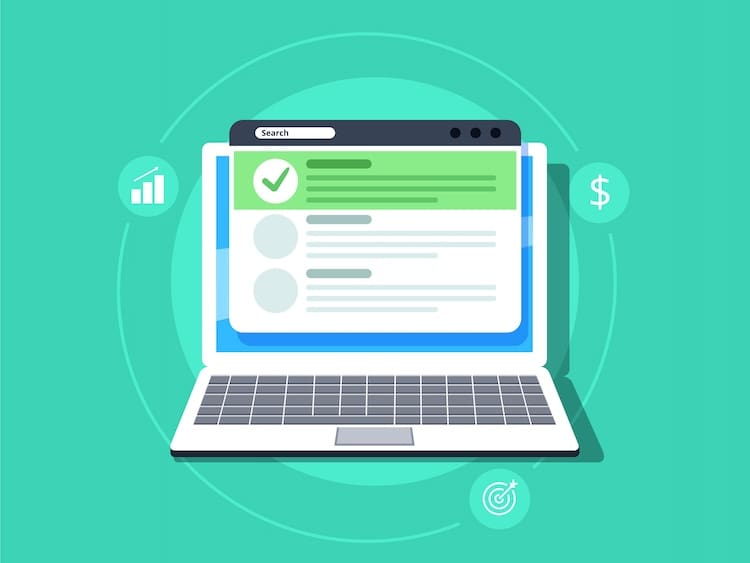
While some companies delete Trustpilot reviews with no trouble, there’s no guarantee that the site will remove reviews after you flag them. What options are you left with, then?
Fortunately, even if a flagged review remains on your business profile, there are still ways to get great star ratings, build trust with your audience and protect your brand.
For expert help with review removal and management, call our team at 800-200-3000 today.
Appeal or Escalate the Decision
If Trustpilot doesn’t remove a negative review after your initial flag, your next step is to appeal by re-flagging it with stronger, more specific evidence. This may include adding documentation, such as missing transaction records or direct evidence of policy violations, that was not included in the first submission. Trustpilot’s Content Integrity Team reviews all escalated cases. The team also handles disputes and determines whether the content meets removal criteria under the platform’s guidelines.
If you have reason to believe the review is part of a bigger pattern of manipulation, you can also report it externally under the FTC’s 2024 rule on fake reviews. While enforcement isn’t guaranteed at the individual platform level, these reports help regulators identify patterns of online abuse.
Remember, however, that not every removal request will succeed, even when a review feels unfair. Outcomes depend strictly on whether the evidence meets Trustpilot’s standards.
Reply to the Review
It may seem silly to reply to fake or negative reviews on Trustpilot. But the right public response may help deflate some of their impact in the long run.
Whether the review is genuine or not, be sure to politely address the reviewer by name, thank them for their business, and apologize for the issue. Since Trustpilot users can see your reply, it’s best to avoid arguing or dismissing the complaint. Doing so may reflect poorly on your business and can often make the situation worse.
Ask Customers To Leave Reviews
Another way to combat poor reviews on Trustpilot is to give your Trustpilot rating a lift. To do that, you may need to amp up your customer feedback strategy.
Knowing how and when to request reviews from customers can help build the review cache you need to water down those troublesome reviews. Follow-up emails and point-of-purchase requests often provide good opportunities to ask for reviews without seeming desperate. A website link directing visitors to review you on Trustpilot can also be an effective way to drum up more positive ratings.
Suppress Bad Reviews
Can’t remove a flagged review on Trustpilot? Suppressing those comments and pushing them off the top Google results pages may be the answer.
With a smart, SEO-powered suppression strategy, you can bury bad Trustpilot reviews on Google, minimizing their visibility and impact on customers. Not only that, but effective search engine suppression allows you to populate important search pages with content you control.
Through optimized blogs, articles, profiles and more, you can build a cache of content that markets your brand and takes over local search pages. Plus, in the long term, suppression gives your brand the digital footprint to withstand new threats well into the future.
Trustpilot Review Removal FAQs
Below are answers to some of the most common questions we receive on removing Trustpilot reviews.
Can you remove Trustpilot reviews?
A business cannot directly delete a Trustpilot review. Reviews are only removed if they violate Trustpilot Guidelines for Businesses. This includes issues like conflicts of interest or any content that contains prohibited material. Removal is based on evidence, not a disagreement or dissatisfaction with the feedback.
Can I delete a review I wrote myself?
Yes. If you wrote a review, you can typically edit or delete it directly through your Trustpilot account. Once a review is removed by the reviewer, it will no longer appear on the business’s profile. If you can’t access your account, Trustpilot may require you to verify your identity before making any changes.
What happens after I flag a review?
After a review is flagged, Trustpilot’s Content Integrity Team will evaluate whether it violates guidelines. The review will usually remain up and visible during this process. If sufficient evidence is provided, it may be removed. If not, it will stay published without any changes.
How long does removal take?
There is no fixed timeframe. Some cases are resolved in a few business days while others take longer, depending on complexity and the need for additional evidence or reviewer input. Trustpilot does not guarantee removal within a set period.
Can a business remove a negative review it just disagrees with?
No. A negative review cannot be removed simply because a business disagrees with it. It must violate platform guidelines. Businesses must provide verifiable evidence, such as missing transaction records or policy breaches to be considered for removal.
Does removing a review change my TrustScore?
Yes. If a review is removed, it is no longer included in the calculation of your business’s TrustScore. However, Trustpilot will recalculate your score based on your remaining reviews, so changes may be minor unless you remove multiple reviews at once.
For businesses seeking structured support with monitoring and escalation, professional review management services can help you organize evidence and navigate submission processes.
Professional Review Management

However you slice it, trying to report reviews on Trustpilot and suppress Google search results can be a tedious and time-consuming process. Spending your time on these tasks takes you away from what’s really important: running your business.
When it comes to stopping bad Trustpilot reviews in their tracks, nothing matches the power of professional review management.
With the right review management strategy on your side, you’ll have the tools, technology and support to remove Trustpilot reviews that are harming your business and get more positive reviews from happy customers.
A professional, robust review management approach allows you to manage and mitigate bad Trustpilot reviews from every angle, including through:
- Requests to remove Trustpilot reviews
- Review reply templates and strategies
- Positive review generation and star ratings improvement
- Search engine suppression
Optimized review management not only helps you fight bad reviews and repair the damage. It puts you in control of your online review presence, ensuring your brand is prepared for threats, dominating search results and building connections that fuel your bottom line.
What Our Clients Say

“We had three negative news articles ranking on the first page of Google for our company name. Within four months, NetReputation had pushed them off page one entirely. Our sales pipeline recovered almost immediately. I wish we had called them sooner.”
“We operate 47 franchise locations and reputation management was a constant headache. NetReputation built a scalable system that monitors and responds to reviews across all our locations automatically. Our average rating went from 3.8 to 4.7 in six months.”
“A former employee launched a coordinated smear campaign against us online. NetReputation's crisis team responded within 24 hours, had a counter-strategy in place by day three, and within 90 days the damaging content was buried. Their speed and expertise saved our company.”
Want to learn more? Call us today at 800-200-3000 or fill out the form below for a free analysis of your brand’s online reputation.
 800-200-3000
 Rated #1 by Newsweek
 100% Confidential